
Advanced P6 Planning Construction Projects
Learn to plan construction projects with Primavera P6, mastering advanced scheduling and resource optimization.
Advanced P6 Planning Construction Projects
Learn to plan construction projects with Primavera P6, mastering advanced scheduling and resource optimization.
- 20 Hours of Training
- 7 Hands-on Workshops + Quizzes
- Certificate of Completion
- Software Included (Windows Required)
- Perfect for Beginners or Intermediates
- Language: English & Portuguese
Course Content
1. Module – Introduction to Primavera P6
2. Module – Project Planning
3. Module – Resources and Costs
4. Module – Scheduling and Critical Path
5. Module – Project Control
6. Module – Reporting and Dashboards
7. Module – Advanced Features
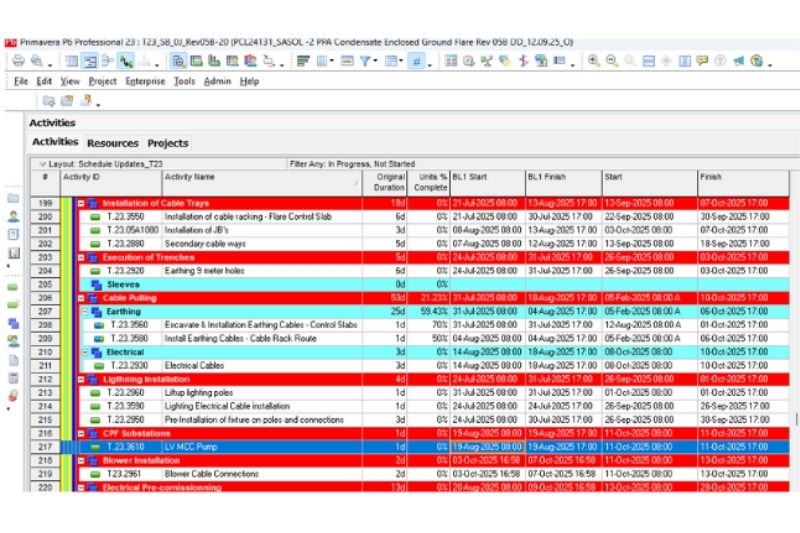

Course Syllabus Project Planning and Scheduling with Primavera P6
Requirements
- Basic project management knowledge.
- General computer literacy (MS
Office). - No prior Primavera P6 experience needed.
Target Audience
- Project managers, planners, schedulers.
- Engineers and construction professionals.
- PMO staff and project controllers.
- Anyone needing skills in enterprise project planning.
Objectives
Upon completion of the course, participants will be able to:
- Understand the concepts of project planning and control.
- Create and structure projects in Primavera P6.
- Define calendars, activities, durations, and relationships.
- Apply the Work Breakdown Structure (WBS).
- Assign and manage resources and costs.
- Use activity codes and display layouts.
- Identify the critical path and analyze the logic network.
- Update and control project progress.
- Generate project reports and graphical outputs.
- Export and import project files.
- Configure filters, layouts, and custom views.
- Work with baselines and compare project schedules.
- Understand multi-project and portfolio management.
- Prepare dashboards and presentations for stakeholders.
- Manage user access,