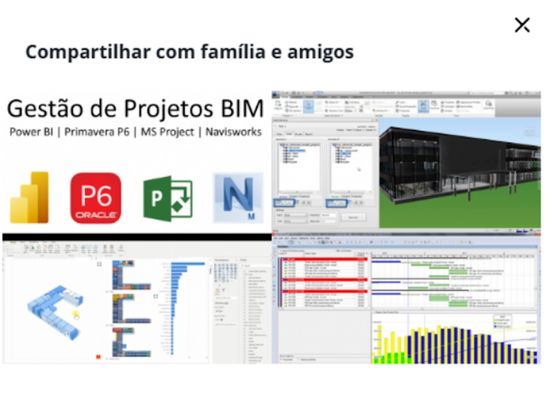
BIM Project Management with Power Bl, Primavera P6, MS Project & Navisworks
Master BIM project management with Power BI, Primavera P6, MS Project, and Navisworks, excelling in scheduling, analytics, and coordination.
Course Content
1. Navisworks Manage
2. Primavera P6
3. Power
Course Syllabus
BIM Project Management with Power BI, Primavera P6, MS Project & Navisworks
Requirements
- Basic understanding of project management.
- Interest in BIM and construction project coordination.
- A computer with Navisworks, Primavera P6, MS Project, and Power BI (trial or full versions).
Target Audience
- Project managers, planners, and
BIM coordinators. - Engineers, architects, and construction professionals.
- Students and professionals in AEC seeking BIM project management skills.
Objectives
By the end of the course, participants will be able to:
- Understand the fundamentals of BIM project management and the integration between Navisworks Manage, Primavera P6, MS
Project, and Power BI. - Apply model coordination techniques in Navisworks Manage, using Clash Detective, Search Sets, Selection Sets, and Timeliner for 4D simulations.
- Develop efficient project schedules in Primavera P6 and MS
Project, linking activities, resources, and costs, and exporting data for integration with other tools. - Perform project analysis and monitoring in Power BI, applying
ETL processes, creating interactive dashboards, and using advanced visuals, including 3D BIM models.
• Integrate information
across platforms (Navisworks, P6, MS
Project, and Power BI) to improve decision-making, planning, and project control.
• Generate performance and financial management reports in real time, ensuring greater accuracy in cost and schedule tracking.